Difference between revisions of "Axis M5526-E"
IVSWikiBlue (talk | contribs) |
IVSWikiBlue (talk | contribs) |
||
| (One intermediate revision by the same user not shown) | |||
| Line 1: | Line 1: | ||
{{Article - Manual | content = | {{Article - Manual | content = | ||
| + | {{Float | content = [[VALT Devices | ⤺ Back to VALT Devices]] }} | ||
| + | <h1 style="text-align:left">Axis M5526-E</h1> | ||
{{Flexbox | left = | {{Flexbox | left = | ||
| − | |||
<div style="border:solid 1px #dddddd;max-width:260px;min-width:fit-content;padding:10px;border-radius:20px;background-color:#FAFAFA"> | <div style="border:solid 1px #dddddd;max-width:260px;min-width:fit-content;padding:10px;border-radius:20px;background-color:#FAFAFA"> | ||
<dl class="singleLineHeight"> | <dl class="singleLineHeight"> | ||
| Line 92: | Line 93: | ||
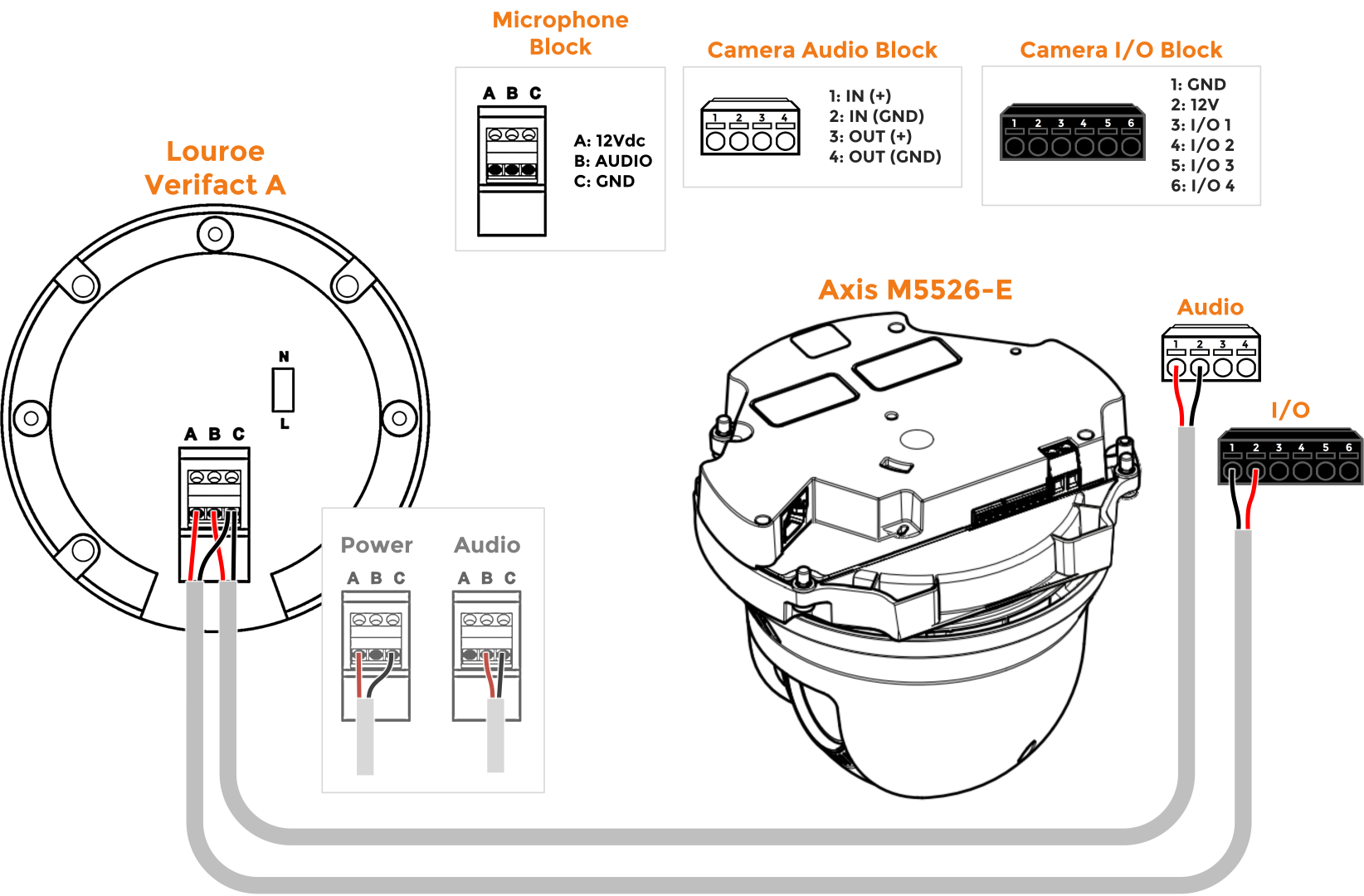
*[[Media:M5525 and Louroe Verifact A (Large).png | Louroe Verifact A]] | *[[Media:M5525 and Louroe Verifact A (Large).png | Louroe Verifact A]] | ||
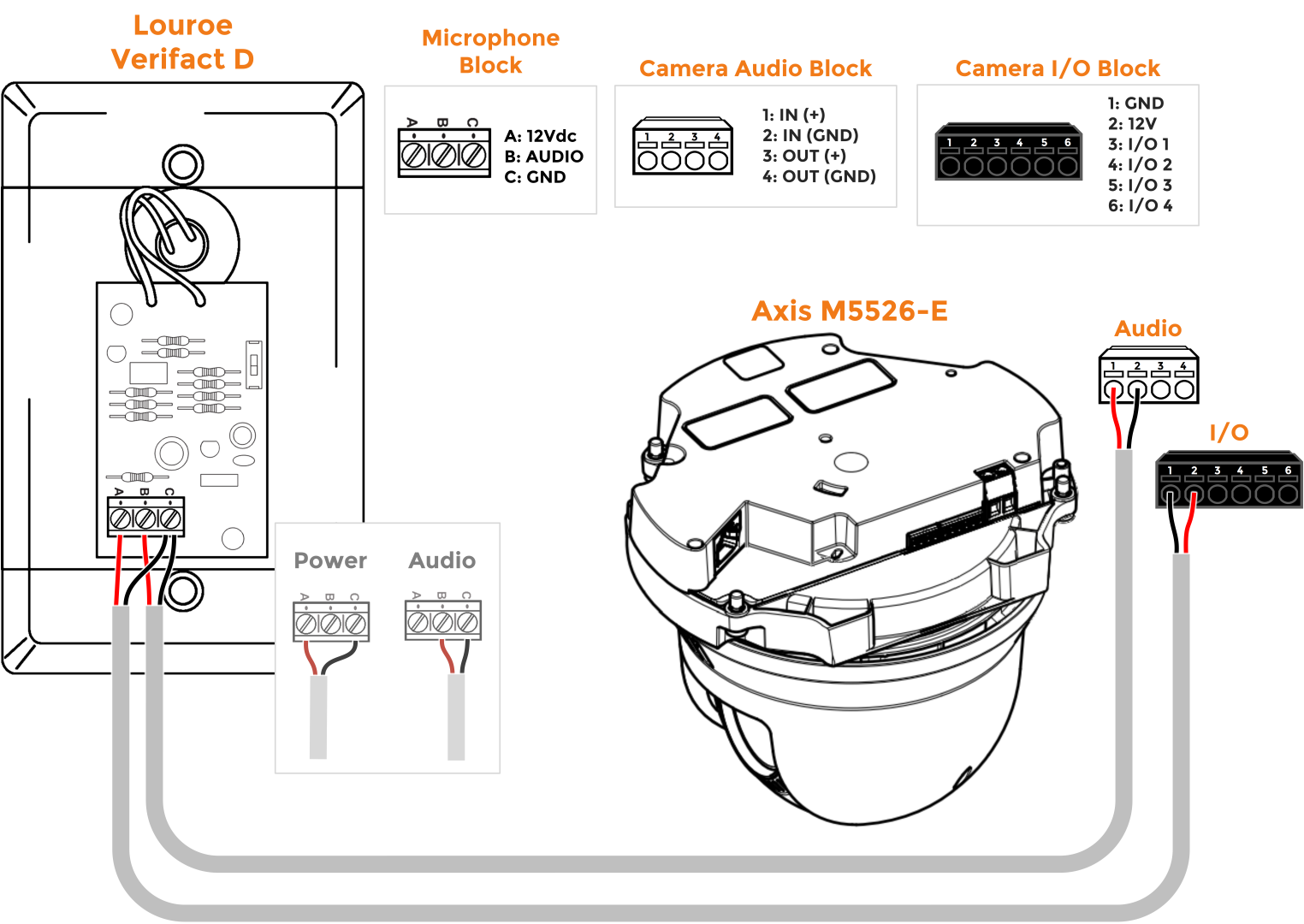
*[[Media:M5526 and Louroe Verifact D (Large).png | Louroe Verifact D]] | *[[Media:M5526 and Louroe Verifact D (Large).png | Louroe Verifact D]] | ||
| − | }} }} | + | }} |
| + | {{hr - 2}} | ||
| + | <h3>Mounting Information</h3> | ||
| + | *[[Axis T91E61]] | ||
| + | }} | ||
[[Category:Axis M5526]] | [[Category:Axis M5526]] | ||
Latest revision as of 10:31, 15 May 2026
Axis M5526-E
- Max Resolution
- 2688 x 1512
- FOV
- H: 59.1°-6.5°
V: 35°–3.67°
- PoE
- Class 3
- Max Power Draw
- 12.95 W
- Features
- - Talkback
- - Supports 2 I/O Devices
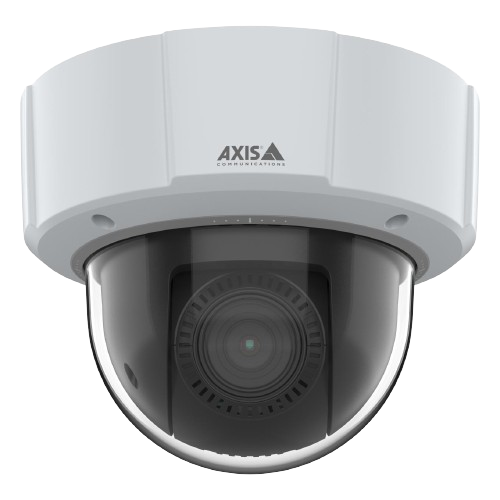
Removing the Dome
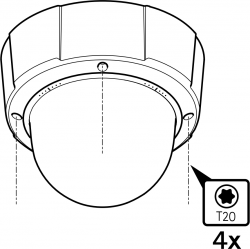
To remove the dome, you will need a T20 security bit. Use the T20 to loosen the four screws. Once complete, the dome will be ready to be removed.
🕮
The Axis installation guide can be found here.
Audio and I/O
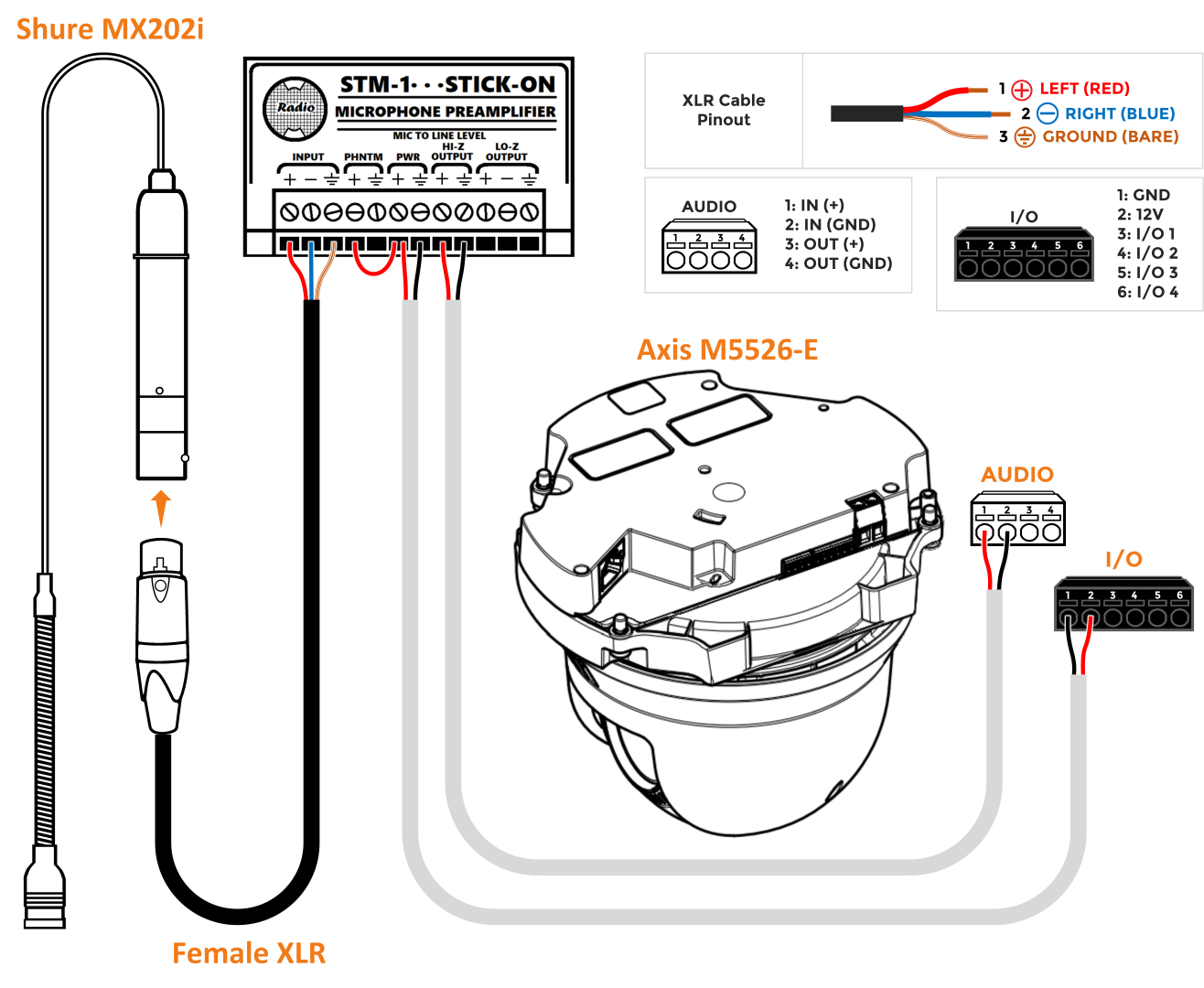
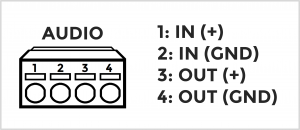
The Axis M5526-E has 2 terminal blocks used for wiring audio and I/O accessories.
The audio block allows for both audio in and audio out. The audio in connects to a variety of microphones, utilizing line level audio.
To see a list of microphones click here.
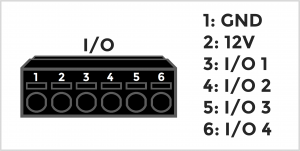
The I/O block for supports 2 I/O accessories.
Popular I/O accessories include the VALT Record Button and the VALT Privacy Button
Additional Resources
General Documentation
- Datasheet (PDF)
- IVS Camera Setting Standards
- Reseat the Network Cable