Difference between revisions of "Infrared (IR) Talkback"
IVSWikiBlue (talk | contribs) (→Installation Instructions) |
IVSWikiBlue (talk | contribs) |
||
| (16 intermediate revisions by the same user not shown) | |||
| Line 1: | Line 1: | ||
| − | [[File:WilliamsIRT1Specifications.jpg|link=https://ipivs. | + | {{Article - Manual | content = |
| + | |||
| + | [[File:WilliamsIRT1Specifications.jpg|link=https://ipivs.info/wiki/images/8/8e/WilliamsIRT1Specifications.jpg]] | ||
==Required Parts and Tools== | ==Required Parts and Tools== | ||
| Line 5: | Line 7: | ||
* Williams RX224 Receiver | * Williams RX224 Receiver | ||
* PanaVise Deluxe CCTV Camera Mount | * PanaVise Deluxe CCTV Camera Mount | ||
| − | |||
* 22/2 audio cable | * 22/2 audio cable | ||
| − | |||
* B Connectors | * B Connectors | ||
* Fish Tape or Glow Rods | * Fish Tape or Glow Rods | ||
| − | |||
* Wire Stripper | * Wire Stripper | ||
| Line 16: | Line 15: | ||
===Connecting to the Camera=== | ===Connecting to the Camera=== | ||
#Once the camera is installed, locate the '''AUDIO OUT''' on your camera | #Once the camera is installed, locate the '''AUDIO OUT''' on your camera | ||
| − | # | + | #Connect 22/2 wire, red to positive and black to the ground of the AUDIO OUT |
| − | |||
| − | |||
===IR Device mounting Instructions=== | ===IR Device mounting Instructions=== | ||
#Determine the placement of the IR receiver. It will generally be best suited to be positioned in a corner. | #Determine the placement of the IR receiver. It will generally be best suited to be positioned in a corner. | ||
| Line 30: | Line 27: | ||
#Drill a small hole behind where the IR transmitter will be mounted for passing cables through | #Drill a small hole behind where the IR transmitter will be mounted for passing cables through | ||
#:[[File:IrCablePass.JPG|link=https://ipivs.com/wiki/images/d/d9/IrCablePass.JPG]] | #:[[File:IrCablePass.JPG|link=https://ipivs.com/wiki/images/d/d9/IrCablePass.JPG]] | ||
| − | #Run 22/2 cable to the IR T1. | + | #Run the 22/2 cable connected to the AUDIO OUT to the IR T1. |
| − | # | + | #Splice a 3.5mm audio cable with the 22/2 using B-connectors. Red on the 22/2 to the red and L/R on the 3.5mm. Black on the 22/2 to the bare of the 3.5mm. |
| − | + | {{img - resize | file = 355to222.png}} | |
| − | + | ||
| − | |||
| − | |||
#Attach mount arm the IR reciever | #Attach mount arm the IR reciever | ||
#:[[File:IrMountArm.JPG|link=https://ipivs.com/wiki/images/a/a6/IrMountArm.JPG]] | #:[[File:IrMountArm.JPG|link=https://ipivs.com/wiki/images/a/a6/IrMountArm.JPG]] | ||
| Line 45: | Line 40: | ||
#:[[File:IrCompleteMount.JPG|link=https://ipivs.com/wiki/images/7/7a/IrCompleteMount.JPG]] | #:[[File:IrCompleteMount.JPG|link=https://ipivs.com/wiki/images/7/7a/IrCompleteMount.JPG]] | ||
#Once audio is plugged in, locate your nearest power outlet to power the IR T1. | #Once audio is plugged in, locate your nearest power outlet to power the IR T1. | ||
| − | #: ''Note:'' | + | {{img - resize | file = PXL_20260126_203024936.jpg}} |
| + | #: ''Note:'' It is preferred that there is a standard power outlet above the ceiling, otherwise you will run the USB Type A to B down the wall to the nearest outlet. | ||
| + | |||
| + | |||
===Testing the System=== | ===Testing the System=== | ||
| − | #Ensure your IR T1 and | + | #Ensure your IR T1 and reciever are set to the same channel. |
#Test the talkback unit is working by activating the talkback function within the VALT Software and having a partner to communicate with. | #Test the talkback unit is working by activating the talkback function within the VALT Software and having a partner to communicate with. | ||
| − | + | {{img - resize | file = Screenshot_2026-01-26_145255.png}} | |
| + | }} | ||
Latest revision as of 16:27, 26 January 2026
Required Parts and Tools
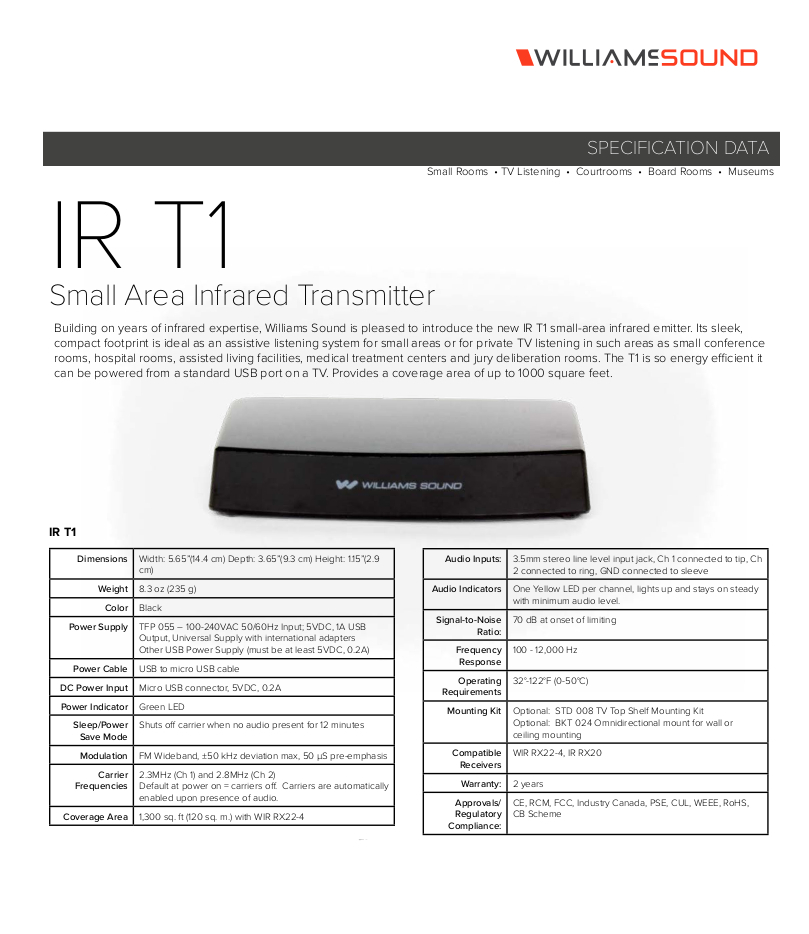
- Williams Talkback System IR T1
- Williams RX224 Receiver
- PanaVise Deluxe CCTV Camera Mount
- 22/2 audio cable
- B Connectors
- Fish Tape or Glow Rods
- Wire Stripper
Installation Instructions
Connecting to the Camera
- Once the camera is installed, locate the AUDIO OUT on your camera
- Connect 22/2 wire, red to positive and black to the ground of the AUDIO OUT
IR Device mounting Instructions
- Determine the placement of the IR receiver. It will generally be best suited to be positioned in a corner.
- Remove the drop ceiling tile to which the IR receiver will be mounted
- Note: The IR receiver will be mounted as far back to the corner as space allows
- Remove the mounting hardware from its packaging (necessary mounting hardware shown below)
- Using toggle bolts, secure the mounting plate to the drop ceiling
- Note: If encountering hard ceiling, use anchors and screws (3/16")
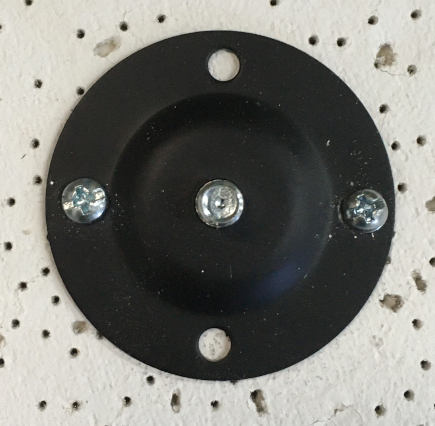
- Drill a small hole behind where the IR transmitter will be mounted for passing cables through
- Run the 22/2 cable connected to the AUDIO OUT to the IR T1.
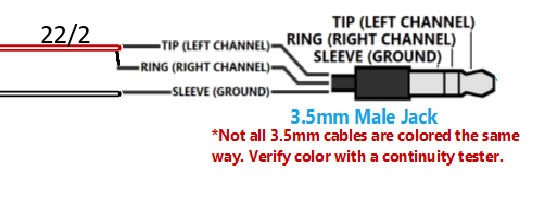
- Splice a 3.5mm audio cable with the 22/2 using B-connectors. Red on the 22/2 to the red and L/R on the 3.5mm. Black on the 22/2 to the bare of the 3.5mm.


- Attach mount arm the IR reciever
- Place the mount cover over the plate and twist the mounting arm until secure
- Plug the 3.5 cable into the Line In of the IR T1 and connect the power cable
- Return the ceiling tile to it's appropriate location
- Once audio is plugged in, locate your nearest power outlet to power the IR T1.


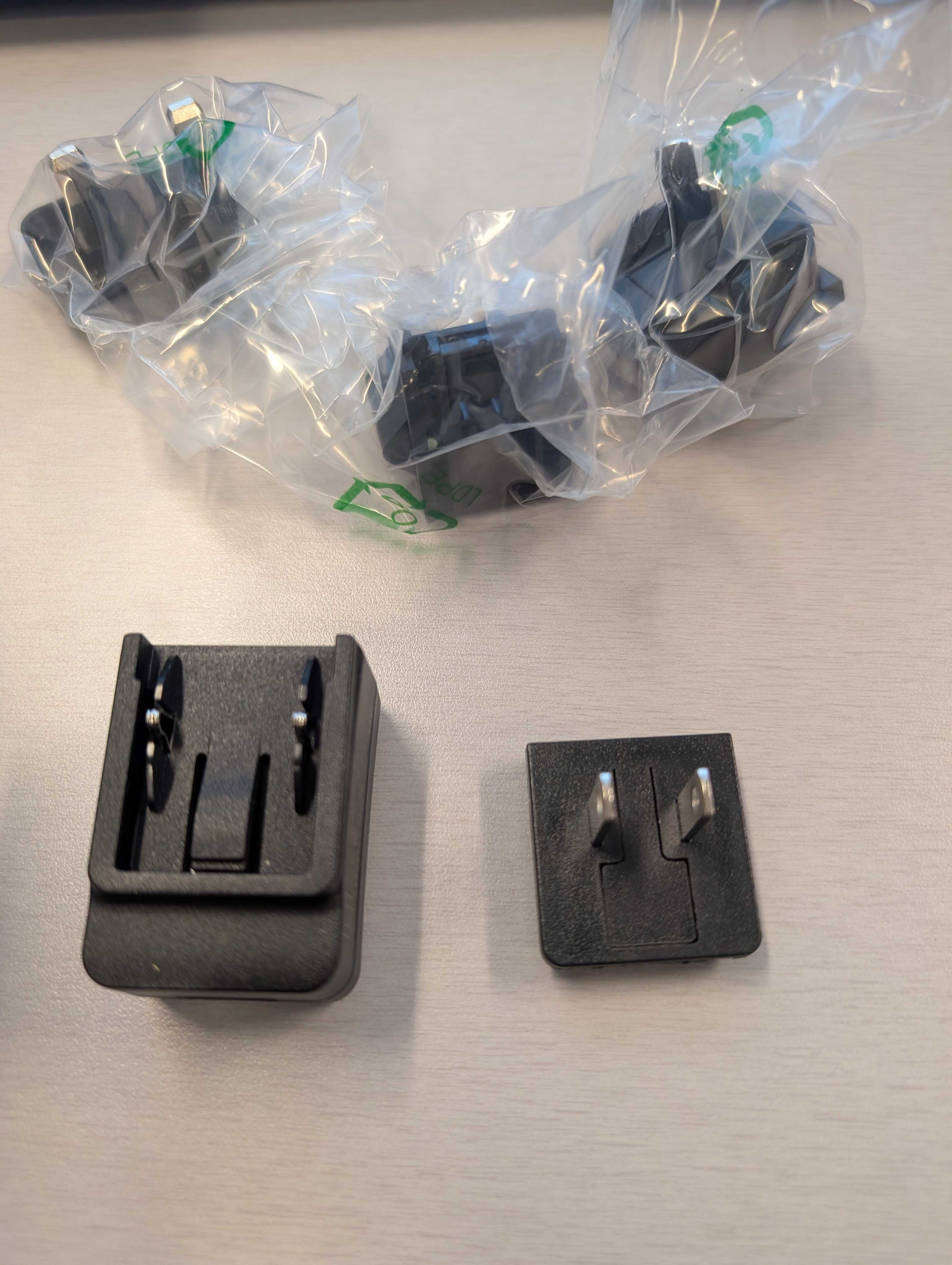
- Note: It is preferred that there is a standard power outlet above the ceiling, otherwise you will run the USB Type A to B down the wall to the nearest outlet.
Testing the System
- Ensure your IR T1 and reciever are set to the same channel.
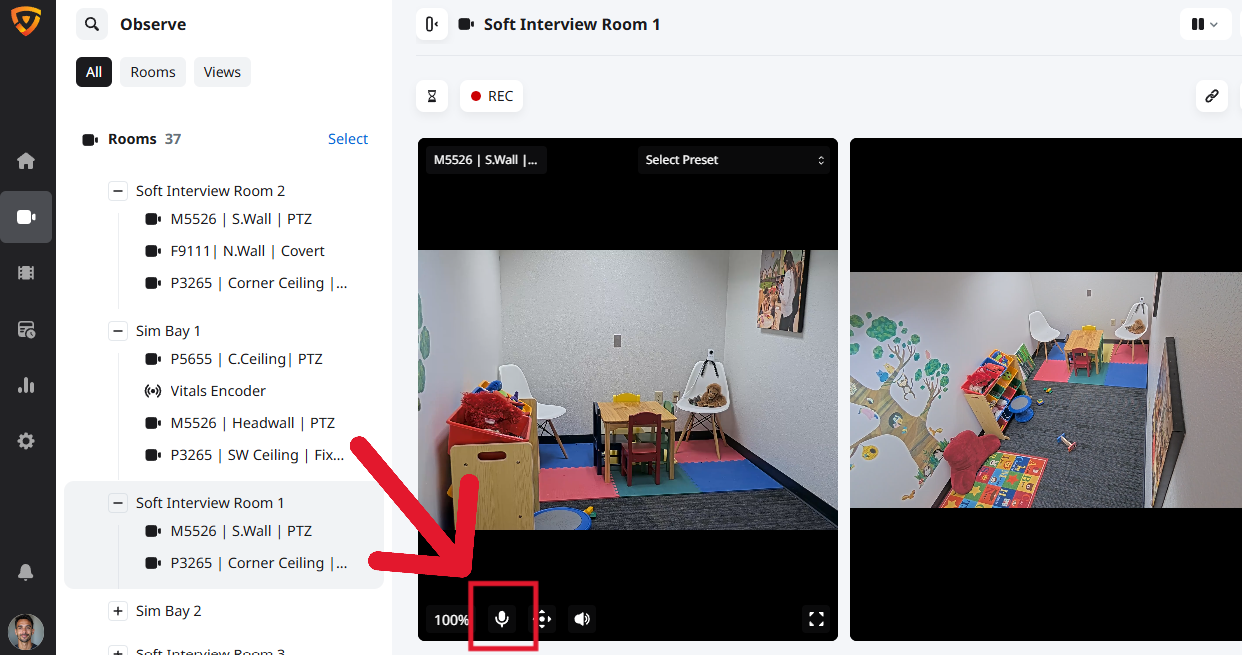
- Test the talkback unit is working by activating the talkback function within the VALT Software and having a partner to communicate with.