Difference between revisions of "Axis Q9307-LV"
IVSWikiBlue (talk | contribs) (Created page with "{{Article - Manual | content = {{Flexbox | left = <h1 style="text-align:left">Axis M3085-V</h1> <div style="border:solid 1px #dddddd;max-width:260px;min-width:fit-content;pa...") |
IVSWikiBlue (talk | contribs) |
||
| Line 1: | Line 1: | ||
{{Article - Manual | content = | {{Article - Manual | content = | ||
{{Flexbox | left = | {{Flexbox | left = | ||
| − | <h1 style="text-align:left">Axis | + | <h1 style="text-align:left">Axis Q9307-LV</h1> |
<div style="border:solid 1px #dddddd;max-width:260px;min-width:fit-content;padding:10px;border-radius:20px;background-color:#FAFAFA"> | <div style="border:solid 1px #dddddd;max-width:260px;min-width:fit-content;padding:10px;border-radius:20px;background-color:#FAFAFA"> | ||
<dl class="singleLineHeight"> | <dl class="singleLineHeight"> | ||
Revision as of 09:23, 10 April 2026
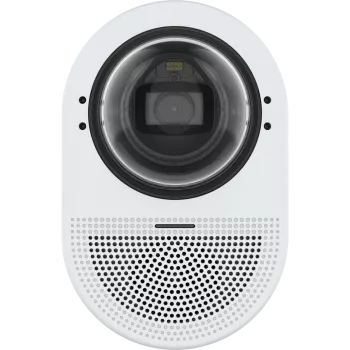
Axis Q9307-LV
- Max Resolution
- 2592x1944
- FOV
- H: 104°-40°
V: 74°-29°
- PoE
- Class 4
- Max Power Draw
- 25.5 W
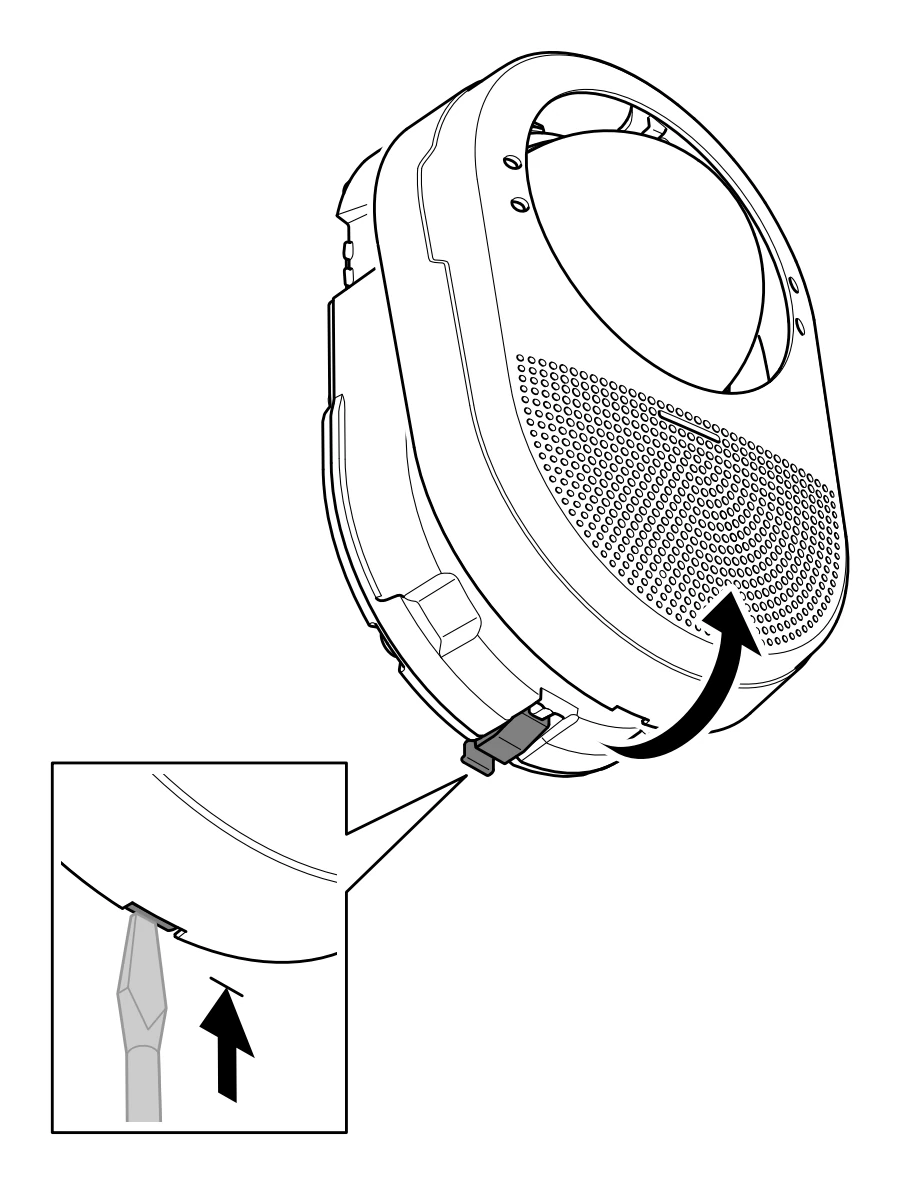
Removing the Dome
1. To remove the dome, first remove the housing by unlatching the bottom with a flathead screwdriver.
2. Once complete, the dome will be ready to be removed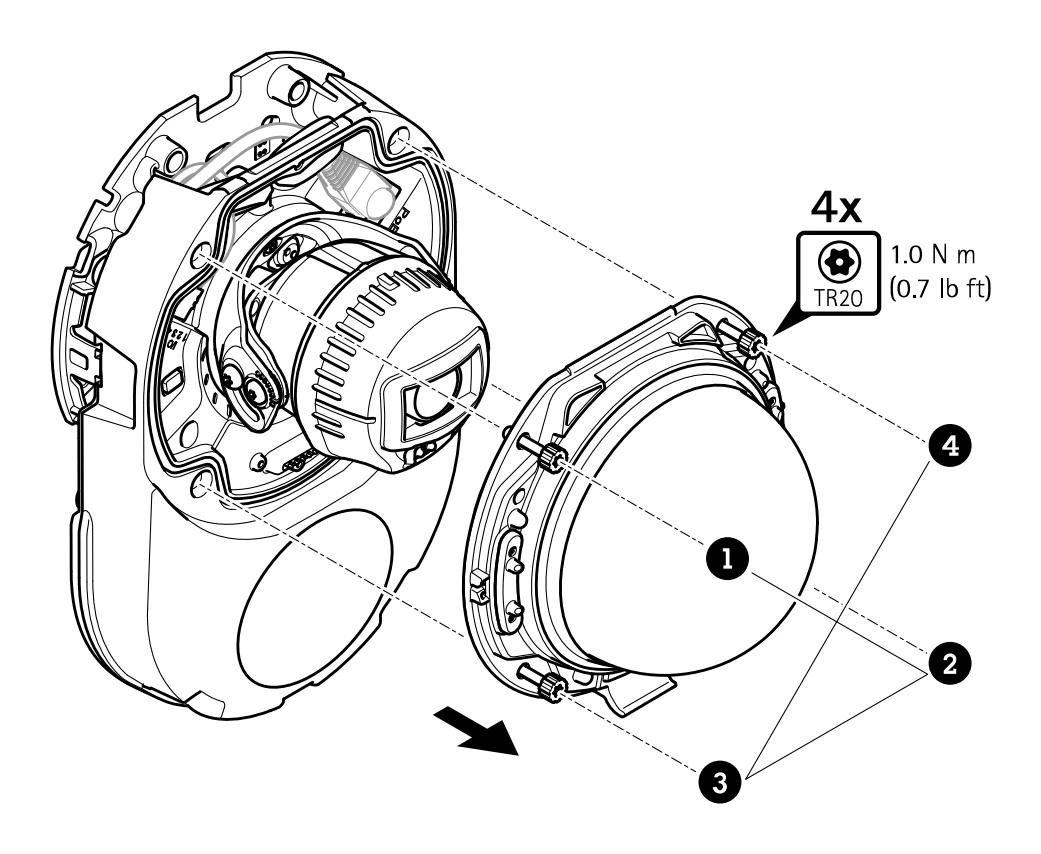 🖼️.
🖼️.
- To remove the dome, you will need a TR20 screwdriver.
🕮
The Axis installation guide can be found here.
Technical Resources
