Difference between revisions of "IVS Wiki:VALT Technical Specifications"
IVSWikiBlue (talk | contribs) |
IVSWikiBlue (talk | contribs) |
||
| Line 42: | Line 42: | ||
{{Top of Page}} | {{Top of Page}} | ||
| − | {{VALT | + | {{Article - Manual | content = {{IVS Wiki:VALT Permissions - Specifiactions}} }} |
| − | |||
| − | |||
{{Backups}} | {{Backups}} | ||
Revision as of 12:42, 16 February 2026
- VALT
- This software is designed to enable users to easily record, review, and manage Video and Audio events in a secure and organized fashion. The software allows users to tag recordings with searchable information, as well as mark specific points within the video files, and tag those markers with searchable information. It has been designed to work with the latest IP camera technology.
- BEAM
- This is an iOS application designed to work in conjunction with our VALT software, and is intended to provide a mobile capture and streaming component to our core VALT software. This software enables users to capture Audio and Video events using any iOS device. It allows these events to be streamed live to the VALT software platform, so users can view and initiate events from the iOS device onto the VALT software itself. BEAM also allows users to capture content offsite, tag it with information, and automatically have that video upload to the VALT Server when network connectivity to the server is restored.
Server Side Software Architecture
Our server-side software is built on a standard LEMP stack consisting of:
- Linux
- Nginx
- MySQL
- PHP
Core Application Components
Web Host
- Serves the PHP-based application and user interface
- Powered by the Nginx web server
Database
- Stores all unique, customer-specific configuration and application data
- Implemented using MariaDB
Streaming Engine
- Manages communication with cameras
- Handles video streaming to client PCs
- Responsible for recording, storage, and clip creation
Logical Server Architecture
The application is divided into two main server roles:
Application Server:
The Application Server hosts the core application logic and includes:
- PHP web pages served via Nginx
- MariaDB services
- Node.js messaging and control service
Media Server: The Media Server is responsible for all video-related operations, including:
- Camera communication
- Video stream distribution to clients
- Recording management and clip generation
Deployment Models
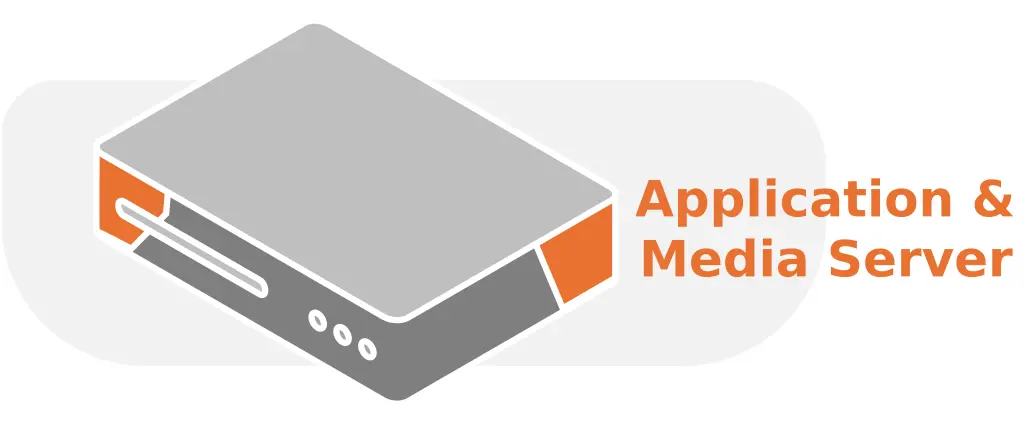
Single Server
The entire server-side software stack can be deployed on a single physical or VM. This configuration is suitable for smaller installations and environments with lower camera counts.
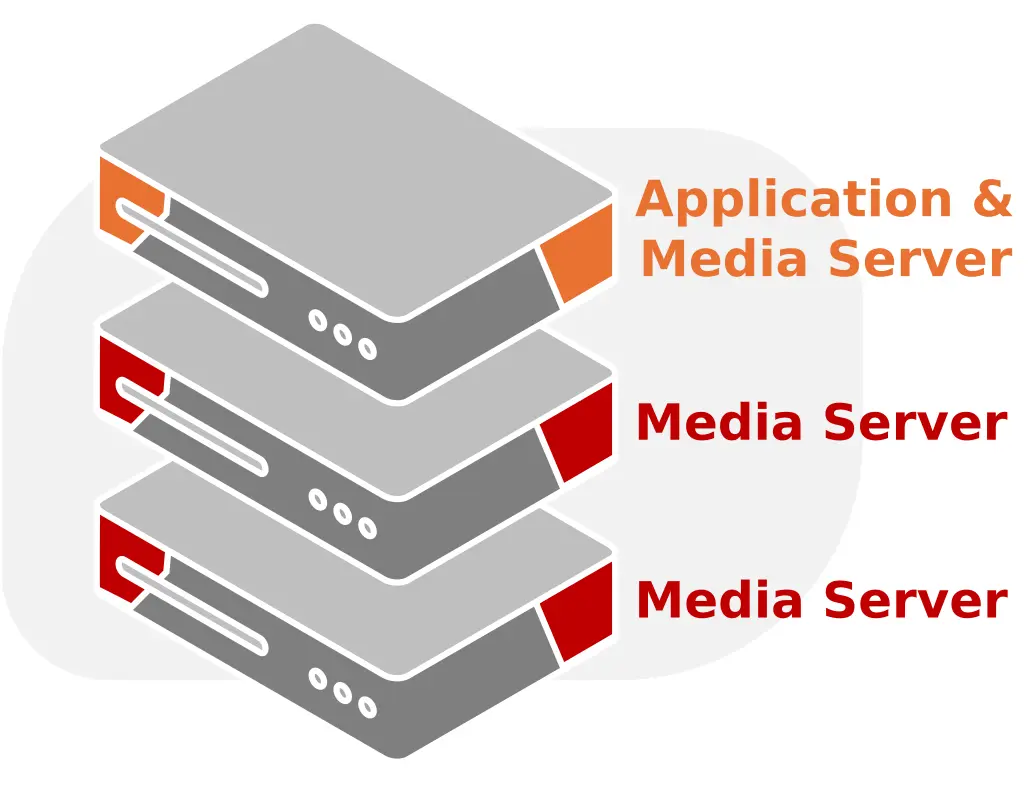
Multi-Server
For larger deployments—such as those exceeding 50 cameras or spanning multiple departments—the system supports a distributed architecture using multiple Media Servers.
- One Application Server hosts the core application services
- One or more dedicated Media Servers handle video processing and storage
- Media Servers can be added incrementally to scale performance and capacity
Client Side Software Architecture
VALT is a web-based application.
The client software consists of two primary components.
- Client Software
- Server Software
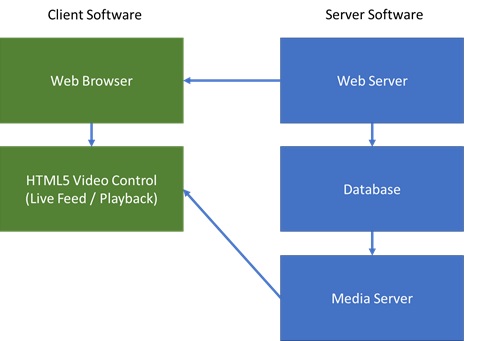
Solution Architecture Overview
A complete customer solution is typically composed of some combination of the following components:
- Server & Storage
- IVS VALT Software
- Axis IP Cameras / Encoders
- Microphone Equipment
- Client Workstations / Laptops
- Optional Components
- Talkback
- Buttons / RFID Readers
- iOS Devices running IVS BEAM for Mobile Capture
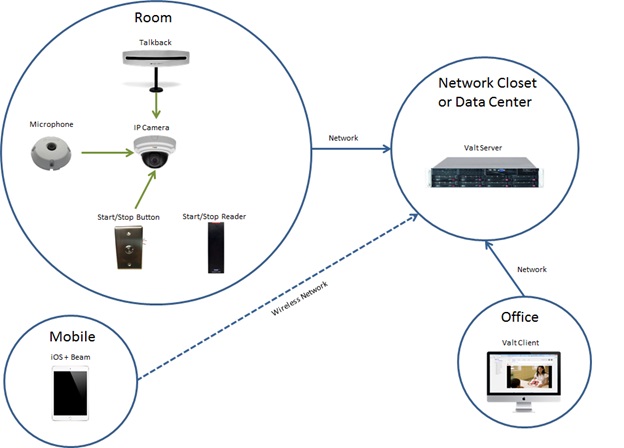
Network Architecture
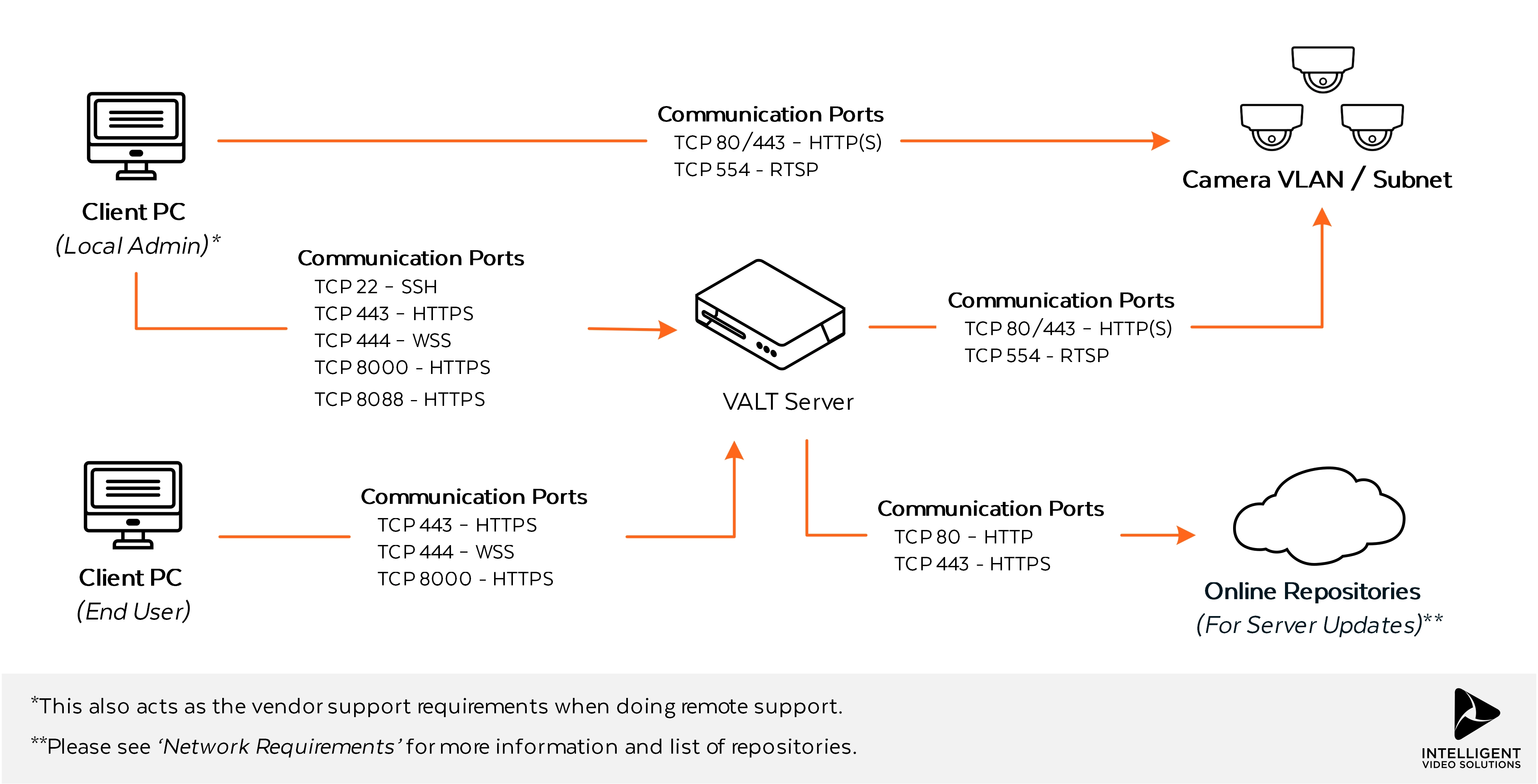
Below is a diagram of a sensitive network environment, where in-transit encryption is a requirement. This type of network architecture is typical of environments that are using the system to capture / observe actual patient interactions within clinical training environments.
Authentication Methods
Local Authentication
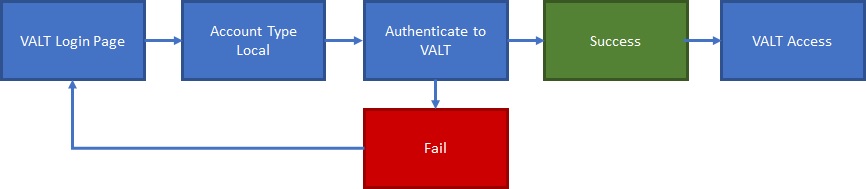
Local accounts are created and assigned to groups within VALT. Local accounts can be created manually or imported from a list.
LDAP Authentication
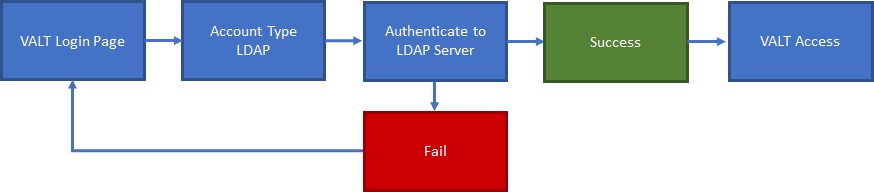
LDAP accounts can be imported manually using an LDAP search and lookup tool within the software or imported automatically on a schedule based on group.
SSO Authentication
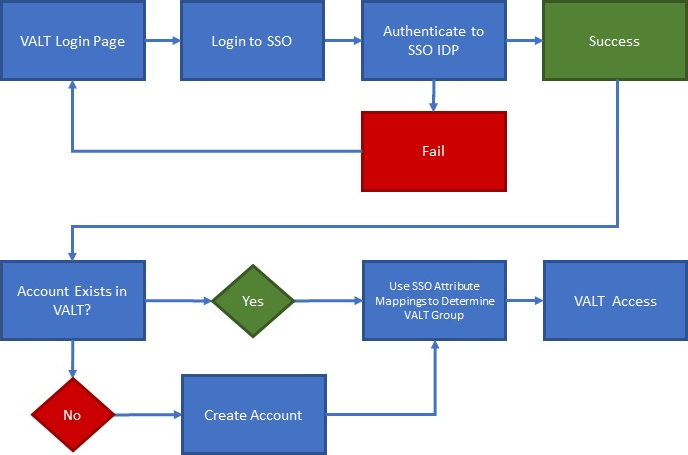
SSO accounts are automatically created when a user logs in for the first time. The user can be placed in the proper group automatically upon login by mapping SSO attributes to a user group within VALT.
Access Control


The VALT Software is compromised of 6 main sections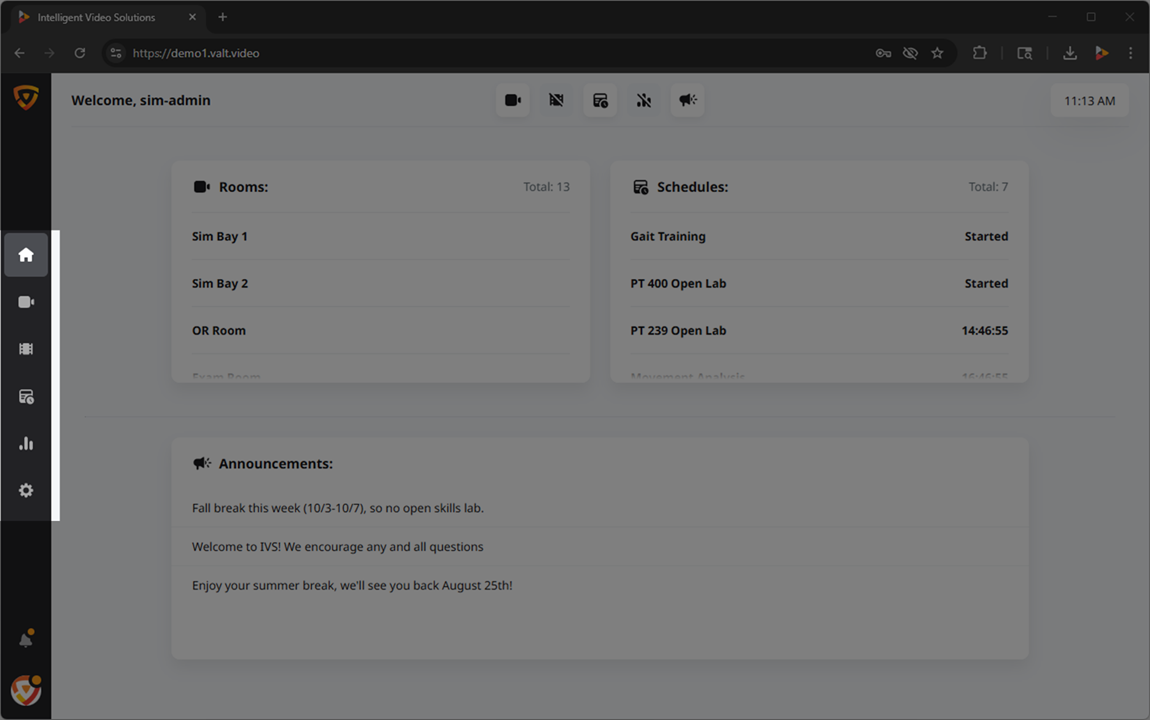 🖼️.
🖼️.
Access to these sections, and their associated features, can be controlled at two distinct levels within the software: the group level and the user level.
Role Management
User Groups
At the core of our permission structure, the majority of access is defined at the group level. By establishing permission settings at this level, you can streamline management and ensure consistent access controls for users within the same group.
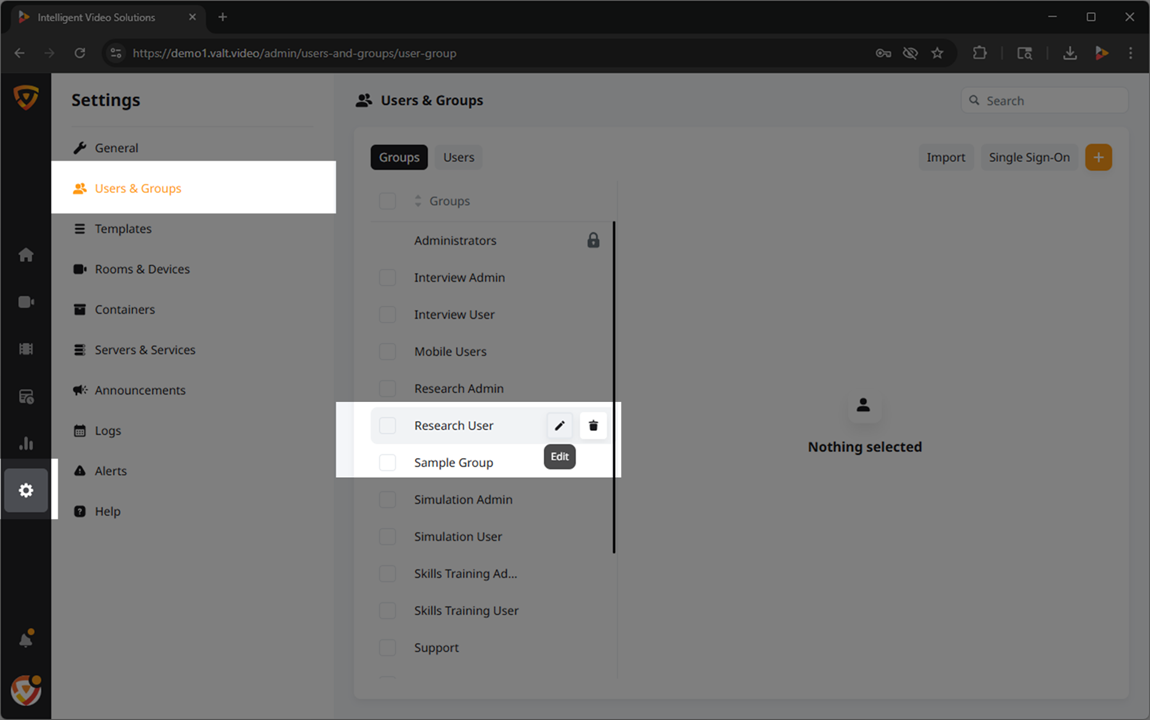
Users
Rights defined at the group level are automatically inherited by the individual users assigned to those groups, simplifying the administration of rights.
In addition to the group-level rights, our software allows for further customization at the individual user level. This means that specific access rights can be fine-tuned to cater to unique requirements, providing an extra layer of control over user privileges.
Rights
How They're Applied
- Group-Level
- Here are lists of the rights
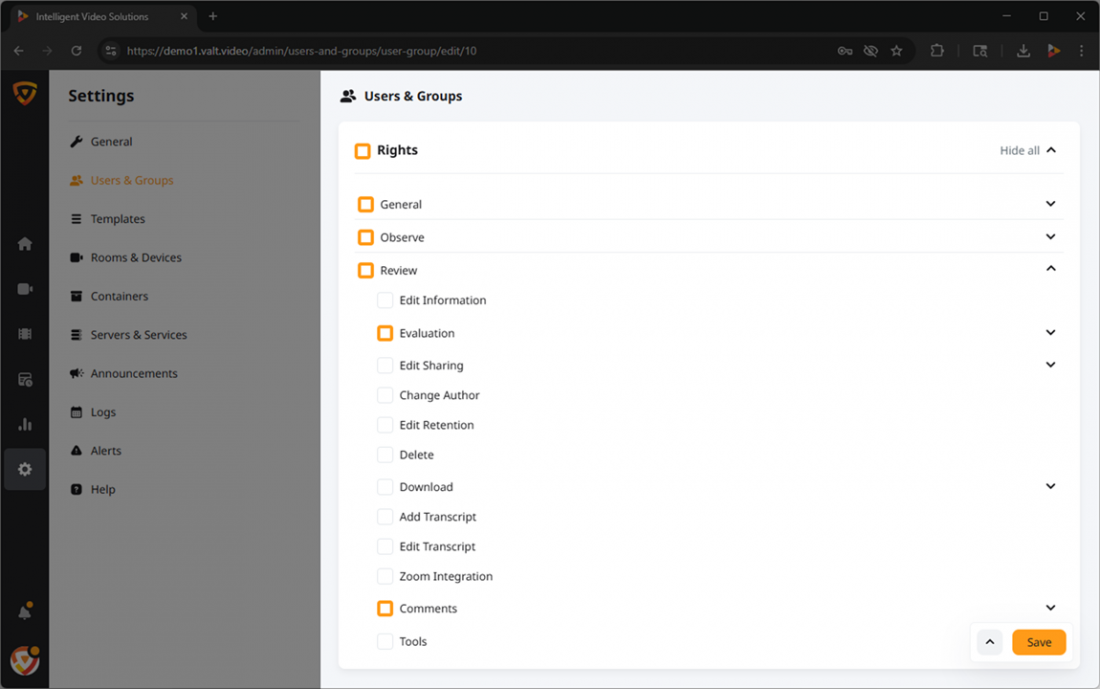 🖼️ within VALT and the corresponding access they grant. The chart below illustrates whether each permission can be configured at the group level, user level, or both.
 - User-Level Override
- While permissions are primarily configured at the group-level, additional permissions can be granted at the user-level.
✎Permissions can only be granted at this level. Permissions are revoked at the group-level.
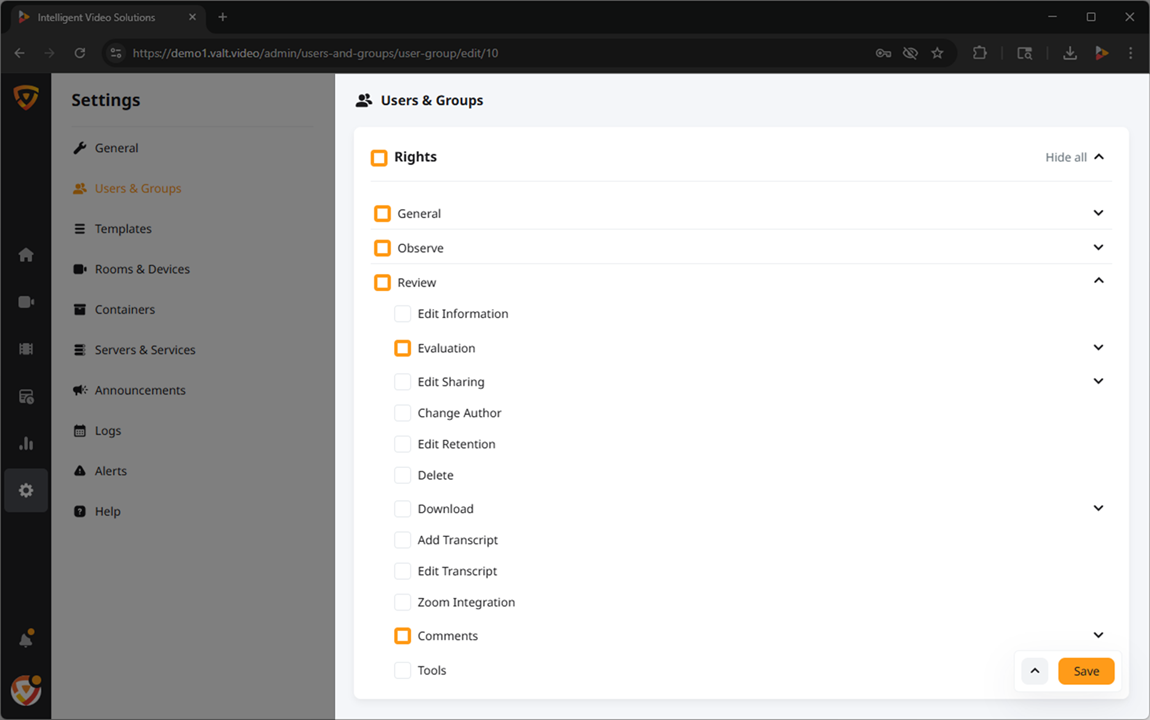
Available Rights
- General
-
Grants access to the features within the General section.
🕮This section applies to buttons or notifications that are system wide.
- Observe
-
This section of the software is used to view live sessions and create recordings.
Sample of Observe Rights

- Review
- This section of the software is used to view previously recorded sessions, update metadata, download, and delete existing videos.

- Upload
- Allows users to upload videos to the VALT software. Files must be MP4 or MOV.
- Schedule
- This section of the software is used to schedule recordings that will take place on a specific date, at a specific time, and will last for a fixed duration.

- Reports
- Allows users to generate simple statistical reports about usage of the VALT system.

- Settings
- Grants the ability for a user to view general system statistics including software version, licenses, and storage amount.

Backups
IVS is not a backup solution provider. We recommend that all customers use their existing enterprise backup solution. If that solution has a Debian agent, we’d be happy to assist with installing that agent on the VALT appliance, but we cannot assist with any configuration related to any backup software.
VALT 5.7 and VALT 6
- Database Dumps:
- /usr/local/valt/backup
- Video Files:
- /usr/local/valt/records/video
VALT 5.6 and Older
- Database Dumps:
- /usr/local/valt/backup
- Video Files:
- /usr/local/WowzaStreamingEngine/content/valt_recordings
