VALT Room Controls
VALT Room Controls
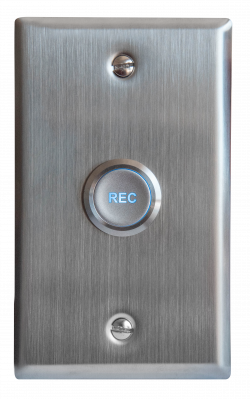
VALT Record Button
The VALT Record Button is a simple way to start a recording in or near the room. Simply push the button to start a recording and then push it again to stop the recording.
VALT Card Reader

The VALT Card Reader is another simple way to start a recording but unlike the VALT Record Button it has the ability to tie who has started the recording to the video and assign access rights accordingly. Simply swipe a badge to start a recording and then swipe it again to stop the recording.
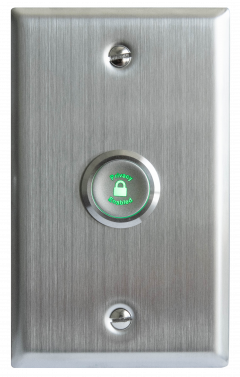
VALT Privacy Button
The VALT Privacy Button provides users with a local way to prevent video and audio observation into a session. When this is desired, we can configure cameras for Privacy Mode, which blankets the screen with a black video overlay and omits all audio from the stream.
VALT Keypad
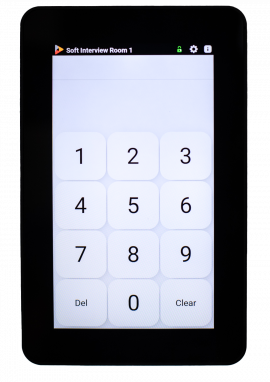
The VALT Keypad is mounted inside or outside a room. Users enter a unique pin code that identifies them as the author of the recording and who the recording is shared with. Use the keypad to start, stop and pause recording. And add time-stamped markers to an active video recording, so you can jump to key moments in video playback.
Benefits:
- User autonomy to start and stop recording.
- Manage recording at the room.
- Distribute video based on author permissions.
- Add markers with one press of a digital button.
VALT Digital Display
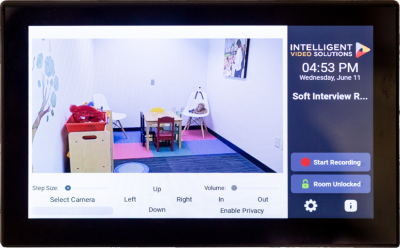
The VALT Digital Display provides a live camera view and pan-tilt-zoom camera control via touchscreen. Use the digital display to start, stop and pause recording. And add time-stamped markers to an active video recording, so you can jump to key moments in video playback.
Benefits
- User autonomy to start and stop recording.
- Manage recording at the room.
- Add markers with one press of a digital button.
